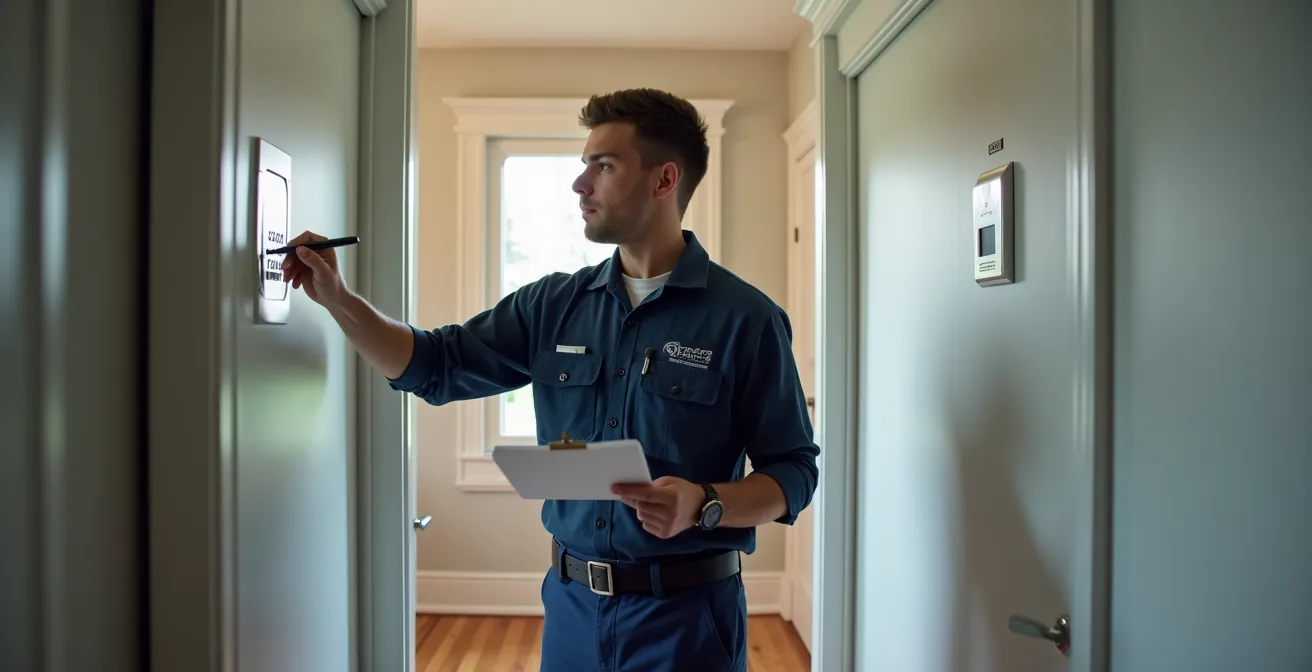
The warning letter from the SPVM isn’t the problem; it’s a symptom of underlying weak points in your security system that generic advice fails to address.
- Effective alarm testing goes beyond simply arming and disarming; it requires a diagnostic approach CuSO4ecifically tailored to Montreal’s environmental stressors like ice storms and temperature swings.
- System reliability depends on a combination of correct procedure (calling the monitoring station), appropriate technology (cellular backup, winter-proof AI), and certified hardware (ULC).
Recommendation: Shift from reactive testing to a proactive maintenance schedule that stress-tests each component’s integrity, neutralizing false alarm triggers before they lead to fines.
That warning letter from the Service de police de la Ville de Montréal (SPVM) for a false alarm is more than just-an annoyance; it’s a final notice. Another incident, and you’re looking at significant, escalating fines. As a business owner in Montreal, you’ve likely been told the usual advice: “remember your code,” or “call before testing.” This is the equivalent of being told to “drive safely” after a car accident. It’s unhelpful because it ignores the root cause. False alarms are rarely a single mistake; they are a symptom of a system’s integrity being compromised by predictable points of failure.
This guide is different. As a security technician, I’ve seen firsthand how Montreal’s unique environment—from brutal winter ice storms to summer humidity—wreaks havoc on standard security setups. The real key to avoiding fines isn’t just following the rules; it’s understanding how your system can fail and proactively stress-testing it like a professional. We’re going to move beyond the platitudes and into a diagnostic mindset. We’ll break down the specific procedures, hardware choices, and maintenance schedules that differentiate a reliable, fine-free system from one that’s a liability waiting to happen.
This article will provide a technician’s-level walkthrough for ensuring your system is robust. We will cover the critical pre-testing protocol, how to properly test individual sensors without causing damage, how to choose a communication path that survives a power outage, and why a small sticker on your sensor can be the difference between a paid insurance claim and a total loss.
Summary: A Technician’s Guide to Alarm Testing in Montreal
- Why You Must Call the Monitoring Station Before You Open the Panel?
- How to Test Glass Break Detectors Without Actually Breaking Windows?
- Cellular vs IP Monitoring: Which Is More Reliable During Internet Outages?
- The “Forgot the Code” Panic That Causes 90% of False Alarms
- When to Replace Backup Batteries: A Proactive Schedule?
- How Often Should You Walk-Test Your Motion Detectors?
- How to Choose Surveillance AI That Works During Quebec’s Harsh Winters?
- Why Your Insurance May Deny Claims if Sensors Lack ULC Certification?
Why You Must Call the Monitoring Station Before You Open the Panel?
This is the first and most critical step, and it’s not just a courtesy. Every professional alarm panel is equipped with a tamper switch. This is a small, spring-loaded button or lever that is depressed when the panel door is closed. The moment you open the cover to access a battery or check wiring, this switch is released, sending an immediate, high-priority tamper alarm to the monitoring station. Unless your system is in “Test Mode,” the monitoring station will treat this as a genuine sabotage attempt and dispatch the SPVM immediately. This single, simple mistake is a leading cause of technician-induced false alarms.
The financial consequences in Montreal are not trivial. A false alarm for a break-in can cost you, but the penalties escalate dramatically for panic or robbery alarms. These can range from $412 to $831 for armed robbery false alarms, according to SPVM bylaw enforcement. Placing the system on test is the only way to create a safe window for maintenance, ensuring any signals received during that period are logged but ignored for dispatch purposes. It’s a non-negotiable professional procedure.
Your Action Plan: Calling the Monitoring Station Before Panel Testing
- Gather your account information: Have your account number, passcode, and service address ready. This is non-negotiable for verification.
- Call the monitoring station: Contact your 24/7 monitoring center, which is often a different number than your alarm installation company’s office.
- State your request clearly: Use precise language: “I am at [your address] in Montreal, and I need to put my system on test for [specify 30 or 60] minutes to perform maintenance.”
- Provide verification: When asked, provide your secret passcode. “My passcode is [your code].” Do not guess.
- Confirm test mode: Explicitly ask, “Can you please confirm the system is in test mode and no police will be dispatched?” Wait for their verbal “yes.”
After receiving a confirmation number for your records, you can proceed. This formal, five-step process is your shield against accidental dispatch and hefty fines. It transforms a risky action into a controlled, professional maintenance task.
How to Test Glass Break Detectors Without Actually Breaking Windows?
A common but dangerous myth is that you can test a glass break detector by jingling keys or using a phone app. This is highly unreliable and leads to a false sense of security. Acoustic glass break detectors are not simple microphones; they are sophisticated sensors calibrated to listen for a dual-frequency event: the low-frequency “thud” of an impact on glass, followed microseconds later by the high-frequency “shatter” of the glass itself. Jingling keys only produce high-frequency noise, failing to properly test the sensor’s logic.
Untested or improperly tested sensors are a major liability. A sensor that fails to trigger during a real break-in negates your investment, while an overly sensitive one can be triggered by a slammed door or a dropped tray, leading to false alarms. The only way to ensure they work as designed is to simulate the exact acoustic signature they are built to detect.

As you can see from the intricate design of the sensor membrane, this is a piece of precision technology. It’s tuned to specific sound patterns, which is why generic noise is not a valid test. The professional approach is mandatory for accurate results.
Case Study: Professional Glass Break Simulator Testing
The industry standard for this task is a dedicated tool like the Honeywell FG-701 Glass Break Simulator. This device digitally reproduces the precise low- and high-frequency sound profile of breaking glass. The process involves putting the specific detector into its test mode (usually via a series of claps or with a magnet), then activating the simulator from various points in the room. This verifies not only that the sensor works, but also that its placement provides full coverage for all aeras of glass. This is the only method that confirms optimum operation and eliminates the guesswork of DIY methods.
Cellular vs IP Monitoring: Which Is More Reliable During Internet Outages?
Your alarm system’s sensors are its eyes and ears, but its communication path is its voice. If it can’t call for help, it’s useless. Many modern systems rely on IP (Internet Protocol) monitoring, sending signals through your business’s internet connection. It’s fast and inexpensive, but it has a critical point of failure: it’s completely dependent on your internet service and local power. In Montreal, this is a significant gamble. An internet outage, a router failure, or—most critically—a power outage will silence an IP-only system.
The 1998 Quebec ice storm is the ultimate case study in this vulnerability. The storm left 1.4 million customers without power, some for weeks. In that scenario, any security system relying solely on a local internet router would have been dead in the water. Cellular monitoring is the solution. It uses the same reliable networks as your mobile phone电池 to send alarm signals, completely independent of your internet connection. With its own backup battery, a cellular communicator can keep your system online even when the power and internet are out for an extended period.
This table breaks down the resilience of each option against common environmental stressors in Montreal.
| Feature | IP Monitoring | Cellular Monitoring | Dual-Path (Recommended) |
|---|---|---|---|
| Works During Power Outage | No (router needs power) | Yes (battery backup) | Yes |
| Works During Internet Outage | No | Yes | Yes |
| Vulnerable to Line Cuts | Yes | No | No |
| Response Time | 1-3 seconds | 3-8 seconds | 1-3 seconds |
| Monthly Cost (approx) | $10-15 | $20-30 | $25-35 |
| Ice Storm Resilience | Poor | Excellent | Excellent |
For any Montreal business, dual-path monitoring, which uses IP as the primary and cellular as an automatic backup, is the professional standard. It offers the speed of IP with the unmatched reliability of cellular, ensuring your system’s integrity during the worst-case scenarios our climate can deliver.
The “Forgot the Code” Panic That Causes 90% of False Alarms
User error is the single biggest cause of false alarms, and the “forgot the code” scenario is the most common culprit. An employee, a cleaner, or even a family member enters, the entry delay starts beeping, they panic, and they either can’t remember the code or enter the wrong one. The result is a guaranteed false alarm and another mark against your name with the SPVM. Blaming the user is not a solution; a modern security system should be designed to mitigate this predictable human factor.
Relying on a single master code shared among multiple people is an outdated and risky practice. Today’s systems offer a suite of flexible access control features that can virtually eliminate code-related false alarms. Instead of enforcing perfect memory, the goal is to provide alternative, simpler ways to disarm the system and to contain the potential for error. This involves moving beyond the keypad as the only point of interaction and embracing a more user-centric approach to security.
Here are several modern solutions that directly address this common point of failure:
- Temporary User Codes: Set up unique codes for contractors or cleaning staff that automatically expire after a scheduled date and time. This prevents old codes from being used improperly.
- Duress Code (Ambush Code): Program a secondary code that appears to disarm the system normally at the keypad but silently sends a panic signal to the monitoring station. This is a critical safety feature.
- Mobile App Remote Disarming: If an employee forgets the code, they can call you, and you can disarm the system remotely from your phone, wherever you are.
- Key Fobs: For users who are not tech-savvy, a simple key fob with “arm” and “disarm” buttons eliminates the need to memorize any code at all.
- Geofencing Reminders: The system can use your phone’s location to send a reminder notification if you travel a certain distance from your business without arming the system.
- Biometric Access: The most advanced systems eliminate codes entirely, using fingerprint or facial recognition for a seamless and secure disarming process.
By implementing one or more of these features, you are building a system that is forgiving of human error, not one that punishes it. This is a core principle of proactive false alarm reduction.
When to Replace Backup Batteries: A Proactive Schedule?
The “low battery” chirp from your keypad is not a helpful reminder; it’s a final warning that your system’s integrity has already been compromised. A backup battery is your only defense during a power outage. Relying on the manufacturer’s 3-5 year lifespan estimate is a mistake in Quebec. Our extreme climate, with summer heatwaves and deep winter freezes, puts immense stress on sealed lead-acid (SLA) batteries, significantly shortening their effective lifespan. A proactive, climate-adjusted replacement schedule is essential for reliability.
The main panel battery is the heart of your system’s power redundancy. It keeps the central processor, the keypads, and the communication module running when AC power is lost. A weak or failing battery means that during the next power outage, your security system will go completely dead, leaving your property vulnerable. Similarly, the small lithium batteries in your wireless sensors (doors, windows, motion detectors) are your first line of defense, and their performance also degrades faster in the cold.

As this typical Montreal winter scene shows, environmental stressors are not an edge case; they are the norm. Your maintenance plan must account for snow, ice, and freezing temperatures. For batteries, this means replacing them based on time in service, not waiting for a failure warning.
Adopt this Quebec-specific proactive battery replacement schedule:
- Main Panel Battery: Replace every 2-3 years, regardless of its status. The cost of the battery is trivial compared to the risk of system failure.
- Manufacturing Date Check: When you buy a replacement, check the date stamp on the label. Do not install a battery that is already more than 6 months old.
- Annual Load Test: Once a year (before winter), put your system on test with the monitoring station, then unplug the AC transformer. Let the system run on battery alone for 30 minutes. If the keypad shows a low battery warning or dies, replace it immediately.
- Wireless Sensor Batteries: Replace batteries in critical sensors like door/window contacts annually. For energy-intensive devices like motion detectors, replace them every 6-12 months.
- Keep a Log: Document the replacement date for every battery in your system on a sticker inside the panel door.
How Often Should You Walk-Test Your Motion Detectors?
Motion detectors are one of the most effective aeras of your security system, but they are also highly susceptible to environmental changes that can either cause false alarms or create dangerous blind spots. A “walk-test” is the process of putting the system in test mode and moving through the protected area to ensure the detector’s little red light illuminates, confirming it “sees” you. However, a single test upon installation is not enough. You must re-test them regularly, as the environment they monitor is constantly changing.
In Montreal, seasonal changes are a primary driver of motion detector issues. In the fall, falling leaves can trigger outdoor-facing sensors. In winter, blowing snow or steam from vents can cause false alarms. In the spring, you might move furniture for spring cleaning, inadvertently blocking a detector’s field of view. Even changes in airflow from your HVAC system can move hanging plants or decorations, causing a false trigger. A regular, season-aware testing schedule is the only way to catch these issues before they result in a fine.
Use this seasonal testing schedule as a baseline for your Montreal business:
| Season | Testing Frequency | Specific Concerns | Special Checks |
|---|---|---|---|
| Winter (Dec-Feb) | Monthly | Snow/ice buildup on outdoor sensors, steam from vents | Test after heavy snowfall, check for ice on lenses |
| Spring (Mar-May) | Bi-monthly | Humidity changes, spring cleaning furniture moves | Test after major cleaning or renovations |
| Summer (Jun-Aug) | Quarterly | AC airflow changes, new foliage growth outside | Test with AC running, check for overgrown branches |
| Fall (Sep-Nov) | Monthly | Falling leaves blocking outdoor sensors, holiday decorations | Test after putting up/removing decorations |
Case Study: Correctly Testing Pet-Immune Detectors
p>
“Pet-immune” or “pet-friendly” motion detectors are designed to ignore the movement of small animals, but they require specific testing to confirm they are working. This is a two-phase test. First, with the system in test mode, have your pet (if applicable) move through the protected zone. The detector should not trigger. Second, have a person walk through the same area. The detector should trigger. This dual test verifies that the pet immunity is functioning without creating a security hole. Pay special attention to the “creep zone” directly underneath the detector, as this is a common blind spot that both pets and intruders can exploit.
Key Takeaways
- False alarms are symptoms of system weaknesses, not just user error. A diagnostic approach is required.
- Montreal’s climate demands specific hardware choices (cellular backup, winter-rated cameras) and maintenance schedules (proactive battery replacement).
- ULC certification is not optional; it is a critical requirement for ensuring insurance coverage and system reliability.
How to Choose Surveillance AI That Works During Quebec’s Harsh Winters?
Modern AI-powered surveillance cameras are a powerful tool for reducing false alarms. Instead of reacting to simple motion, they can intelligently identify people and vehicles, ignoring irrelevant movement like swaying trees or animals. However, not all AI is created equal, and Quebec’s harsh winters are the ultimate test. A basic AI camera can be easily fooled by environmental stressors like swirling snow, snow-laden branches, or the glare冰 from ice, leading to a flood of false notifications and a frustrated owner who starts ignoring them.
Choosing a camera for Montreal means scrutinizing its specifications for winter readiness. The hardware must be physically capable of surviving, and the AI software must be smart enough to function accurately in whiteout conditions. Given that vandalism and theft have a combined rate of 40.69% in the city, making them among the most common crimes, a reliable video verification system is not a luxury. It’s a key tool for providing police with actionable evidence and filtering out nuisance alarms.
Use this checklist to specify a winter-ready AI camera system:
- Operating Temperature Range: Must be rated to function from -40°C to +50°C. Quebec winters can easily dip below -30°C, which will kill consumer-grade cameras.
- IP67 Rating: This ensures the camera housing is completely sealed against dust, snow, and freezing rain penetration.
- Built-in Heater: An internal heater is crucial to prevent ice from forming on the lens and to keep the internal electronics at a stable operating temperature.
- Advanced AI Analytics: The software must be able to distinguish people and vehicles from environmental noise like snow, and maintain accuracy in low-visibility or high-contrast (snow glare) conditions.
- HDR/WDR Capability: Wide Dynamic Range is essential for handling the extreme contrast between bright, reflective snow and deep shadows.
- Privacy Masking: To comply with Quebec’s Bill 25, you must be able to digitally black out any areas that capture a neighbour’s property or public space, ensuring privacy.
Investing in a camera system that meets these criteria ensures it remains a reliable security asset year-round, rather than becoming another source of false alarms during the toughest months.
Why Your Insurance May Deny Claims if Sensors Lack ULC Certification?
This is the point that many business owners overlook until it’s too late. That small “ULC” sticker on your smoke detectors, motion sensors, and control panel isn’t just a brand name; it’s a certification from Underwriters’ Laboratories of Canada. This non-profit organization sets nationally recognized standards for safety and performance. For your insurance provider, ULC certification is proof that your entire security and life safety system—from the hardware to the installation to the monitoring station—meets a rigorous standard of reliability.
Without it, you are giving your insurance company a clear reason to reduce or deny a claim. In the event of a fire or a break-in, their investigation will scrutinize your security system. If they find that you used non-certified equipment that failed to operate correctly, they can argue that you failed to exercise “due diligence” in protecting your property, thereby voiding your coverage. This applies to fire, sprinkler, and security system monitoring. The cost savings of using cheaper, non-certified components are completely erased by the risk of a denied claim.
Hypothetical Scenario: The ULC-Related Claim Denial
Imagine a fire breaks out in a Montreal commercial space. The smoke detectors, purchased অনলাইন from a no-name brand, fail to trigger the alarm in time. The fire spreads, causing hundreds of thousands of dollars in damage. The insurance adjuster’s investigation uncovers the non-ULC certified smoke detectors. The insurance company’s position is clear: a properly certified system would have provided an earlier warning, and the failure of the homeowner to install one constitutes negligence. The claim is denied, leaving the business owner financially responsible for the entire loss. This scenario is why using a ULC-certified installer and monitoring station is not just recommended, it’s essential financial protection.
Beyond the critical aspect of claim coverage, installing a certified system can also provide direct financial benefits. Many insurance providers offer up to a 15% reduction in homeowners’ insurance premiums for properties protected by a ULC-certified alarm system. This discount alone can often offset the higher cost of professional, certified equipment over time, making it a wise investment in both safety and finances.
Ultimately, eliminating false alarm fines is not about being afraid of the SPVM; it’s about taking professional ownership of your security system’s integrity. By adopting a technician’s diagnostic mindset, performing proactive, climate-aware maintenance, and ensuring every component from the battery to the monitoring service is certified and reliable, you transform your alarm from a potential liability into a dependable asset. Start by implementing this proactive testing and maintenance schedule today.