
In summary:
- Traditional signature-based antivirus is blind to zero-day ransomware. The key is to hunt for environmental signals and anomalous behavior.
- Monitor raw system metrics you already have access to, like sustained high disk I/O on file servers, as the primary indicator of an attack in progress.
- Prepare a scripted “kill switch” using PowerShell to instantly isolate an infected machine from the network, containing the threat in seconds.
- For Montreal-based organizations, your technical response plan must be integrated with the strict reporting requirements of Quebec’s Law 25.
- Backups are only viable if they are immutable and air-gapped; otherwise, ransomware will target and destroy them first.
The alert comes in at 4:55 PM on a Friday. A user reports they can’t open a file. Then another. Then a whole department. For a system administrator, this is the nightmare scenario: a ransomware attack unfolding in real-time, locking down decades of company data. The conventional wisdom to “keep good backups” and “train users” feels hollow when the encryption process is already underway. These are reactive measures for a problem that demands a proactive, hunter’s mindset.
Most security stacks focus on preventing initial access or identifying known malware signatures. But what happens when a zero-day threat bypasses those defenses? The attacker is already inside the wire. At this point, victory isn’t about blocking the front door; it’s about detecting the subtle environmental noise the attacker makes as they prepare to strike. It’s about recognizing the tremor before the earthquake. The truth is, ransomware is loud. It has to read, encrypt, and write massive amounts of data, and this activity leaves detectable footprints.
This is a field guide for the sysadmin in the trenches. We will move beyond the platitudes and dive into the tactical methods for detecting ransomware activity *after* the initial breach but *before* the catastrophic file lock. We will focus on the raw, observable signals your systems are already generating. This guide will provide the scripts, the configurations, and the strategic mindset needed to turn the tables, with a specific focus on the operational and legal realities of managing an incident in Montreal.
This article provides a complete tactical breakdown for proactive ransomware detection and response. You will learn to identify the earliest warning signs, execute an immediate containment strategy, and build a resilient infrastructure that can withstand a direct assault, all while navigating the unique compliance landscape of Quebec.
Summary: A Malware Hunter’s Guide to Proactive Ransomware Defense
- Why High Disk Usage on a File Server Is Often the First Sign of an Attack?
- How to Disconnect an Infected Machine Remotely in Under 30 Seconds?
- Behavioral Analysis vs Signature Detection: Which Stops Zero-Day Ransomware?
- The Backup Configuration Error That Allows Ransomware to Wipe Your Restore Points
- How to Run a Ransomware Tabletop Exercise with Your Executive Team?
- Why Encrypting Your Hard Drive Is Not Enough to Protect Email Data?
- The “Reused Password” Risk That Exposes Your Company via Third-Party Breaches
- Enhancing Staff Preparedness for Active Threat Scenarios in Montreal Offices
Why High Disk Usage on a File Server Is Often the First Sign of an Attack?
Before any ransom note appears, the malware must perform its primary function: encrypting files. This process is not subtle. It involves reading every target file from the disk, performing CPU-intensive cryptographic operations, and writing the newly encrypted—and often renamed—file back to disk. On a file server, this creates a massive and anomalous spike in disk I/O operations, specifically disk write activity. This is your first, most reliable environmental signal of an active attack. While a single user might cause a temporary spike, ransomware’s automated, high-speed encryption generates a sustained I/O pressure that standard monitoring tools can flag.
For a malware hunter, a sudden, sustained “Disk Write Bytes/sec” counter exceeding normal operational baselines on a file share is a code-red alert. The goal is to configure triggers that automatically flag this behavior. This is not about finding a specific malware file; it’s about detecting the *effect* of the malware’s core function. This approach is effective because it is payload-agnostic. It doesn’t matter if the ransomware is a brand-new, zero-day variant; the fundamental need to read and write files remains a constant, detectable behavior. The threat landscape in Canada is particularly severe; recent Sophos research reveals that 80% of STAC6565 attacks specifically targeted Canadian firms, making local monitoring critical.
You can leverage built-in Windows tools to create an early warning system. By combining Performance Monitor, File Server Resource Manager (FSRM), and PowerShell, you can build a cost-effective but powerful detection mechanism. The key is to monitor for two distinct but related signals: massive write operations and mass file renames, a common tactic as ransomware adds new extensions (e.g., .lockbit, .crypted) to thousands of files in minutes.
Your Action Plan: Configure Windows Server for Ransomware Detection
- Set Up Performance Monitor: Open `perfmon.exe` and create a new Data Collector Set. Add the ‘Disk Write Bytes/sec’ counter for your file server’s data volumes with an alert threshold above your baseline (e.g., >100MB/sec sustained for 30 seconds).
- Leverage FSRM: Configure File Server Resource Manager to actively screen for known ransomware file extensions and, more importantly, to monitor for mass file rename operations (e.g., trigger an alert if more than 100 files are renamed by a single user in one minute).
- Create Honeypots: Establish a System Access Control List (SACL) to audit access on decoy “honeypot” files. Place bait files with enticing names like ‘Montreal_Office_Lease_2025.docx’ in prominent shares and configure immediate alerts upon modification or access.
- Automate Response: Link these alerts to a PowerShell script. When a threshold is breached, the script should automatically trigger your isolation protocol, providing an immediate, automated defense.
- Test and Refine: Use a safe simulation to test your thresholds. A simple PowerShell script that rapidly creates and renames files on a test share can validate that your alerts are configured correctly without impacting production.
How to Disconnect an Infected Machine Remotely in Under 30 Seconds?
Once you’ve detected anomalous activity, the clock is ticking. Every second an infected machine remains on the network, the ransomware can spread laterally to other servers and workstations. A manual response—identifying the machine, finding its port, and physically unplugging it or disabling the port in a switch GUI—is too slow. You need a pre-configured, remote “kill switch” that can be executed in under 30 seconds. PowerShell is the perfect tool for this, allowing you to create a script that severs all network connectivity for a compromised user account or machine instantly.
This script is your digital firebreak. Its goal is to achieve immediate containment. The primary actions are to block the user’s access to all SMB shares and then disable the machine’s network adapters and firewall rules for file sharing. This chokes the ransomware’s ability to propagate. The reality of this threat is not distant; a ransomware attack on the City of Westmount in Montreal serves as a stark local reminder of how quickly municipal and corporate services can be crippled, underscoring the absolute need for rapid isolation capabilities.
Your kill switch script should be stored in a secure location, ready to be executed with a single command, passing the infected username or machine name as a parameter. This is not the time for complex decision-making; it’s a pre-authorized emergency procedure. Practice running this script so that in a real event, there is no hesitation.

As the image suggests, a crisis demands rapid, decisive action across multiple control points. Your PowerShell script is the virtual equivalent of this, allowing one administrator to do the work of many in a fraction of the time. The script should perform several actions in sequence for maximum effect:
- Block SMB Access: Immediately prevent the compromised user account from accessing any further network shares. The command `Block-SmbShareAccess` is your first line of defense to stop the bleeding.
- Disable Firewall Rules: Shut down the primary vector for spreading worms and ransomware by disabling the ‘File and Printer Sharing’ group in the Windows Firewall.
- Kill Network Adapters: The most decisive step. Use `Disable-NetAdapter` to completely sever all network connections from the machine, fully isolating it.
- Terminate Suspicious Processes: If you have identified the malicious process name, include a step to forcefully terminate it to stop further local encryption.
- Log the Incident: The final step of the script should be to create a timestamped log file, marking the exact moment of isolation for forensic purposes.
Behavioral Analysis vs Signature Detection: Which Stops Zero-Day Ransomware?
The fundamental flaw of traditional antivirus is its reliance on signatures. Signature-based detection is like a security guard with a list of known criminals’ faces. It’s effective at stopping known threats, but completely blind to a new attacker in a clever disguise. Modern ransomware operators use packers, crypters, and polymorphic code to change their malware’s signature for every campaign, or even for every victim. This renders signature-based detection almost useless against zero-day ransomware. To catch a new threat, you must stop looking at the tool and start looking at the action.
Due to its impact on an organization’s ability to function, ransomware is almost certainly the most disruptive form of cybercrime facing Canadians.
– Canadian Centre for Cyber Security, National Cyber Threat Assessment 2023-2024
This is where behavioral analysis becomes critical. Instead of asking “Is this file a known piece of malware?”, it asks “Is this file’s behavior malicious?”. Behavioral detection monitors for the *techniques* of an attack, not the specific code. These techniques are finite and far more stable than malware hashes. For example, ransomware will almost always attempt to delete volume shadow copies to prevent easy recovery. Detecting the execution of `vssadmin.exe Delete Shadows /All /Quiet` is a massive behavioral red flag, regardless of which program initiated the command. Similarly, watching for lateral movement tools like `PsExec` or mass file renames provides a reliable signal of malicious intent.
The following table breaks down the effectiveness of different detection methods. It clearly shows why a multi-layered approach, with a heavy emphasis on behavior and deception, is the only viable strategy against modern threats.
| Detection Method | Effectiveness vs Zero-Day | Key Indicators Detected | Implementation Complexity |
|---|---|---|---|
| Signature-Based | Low (0% for unknown variants) | Known malware hashes only | Low |
| Behavior-Based | High (detects anomalous patterns) | Mass file renames, vssadmin.exe abuse, PsExec lateral movement | Medium |
| Traffic-Based | Medium (catches C2 communications) | Sudden outbound traffic spikes, suspicious destinations | Medium |
| Deception-Based | High (honeypot triggers) | Access to decoy files, unauthorized share access | Low |
The Backup Configuration Error That Allows Ransomware to Wipe Your Restore Points
Having backups is not the same as having recoverable backups. The single most catastrophic configuration error is connecting your backup server to your production Active Directory domain with credentials that are also used for domain administration. Ransomware is engineered to hunt for and destroy backups to maximize the pressure to pay the ransom. If an attacker compromises a domain administrator account, and that same account has permissions on the backup server, they will use it to log in and wipe every restore point you have. Your last line of defense will be gone before you even know you’ve been hit.
This vulnerability is a primary target for attackers. Shockingly, even when ransoms are paid, recovery is not guaranteed. According to one report on Canadian cyber incidents, in cases where a ransom was paid, 73% indicated data was successfully exfiltrated anyway, and a significant portion of victims who paid never recovered their data. This highlights that paying the ransom is a failed strategy; a resilient, isolated backup architecture is the only true safety net.
The solution is to build a “bunker” architecture for your backups based on the principle of isolation. Your backup infrastructure must be segregated from your production environment at the network and administrative levels. This creates an air gap—or at least a highly controlled electronic barrier—that an attacker who has compromised the main network cannot easily cross.
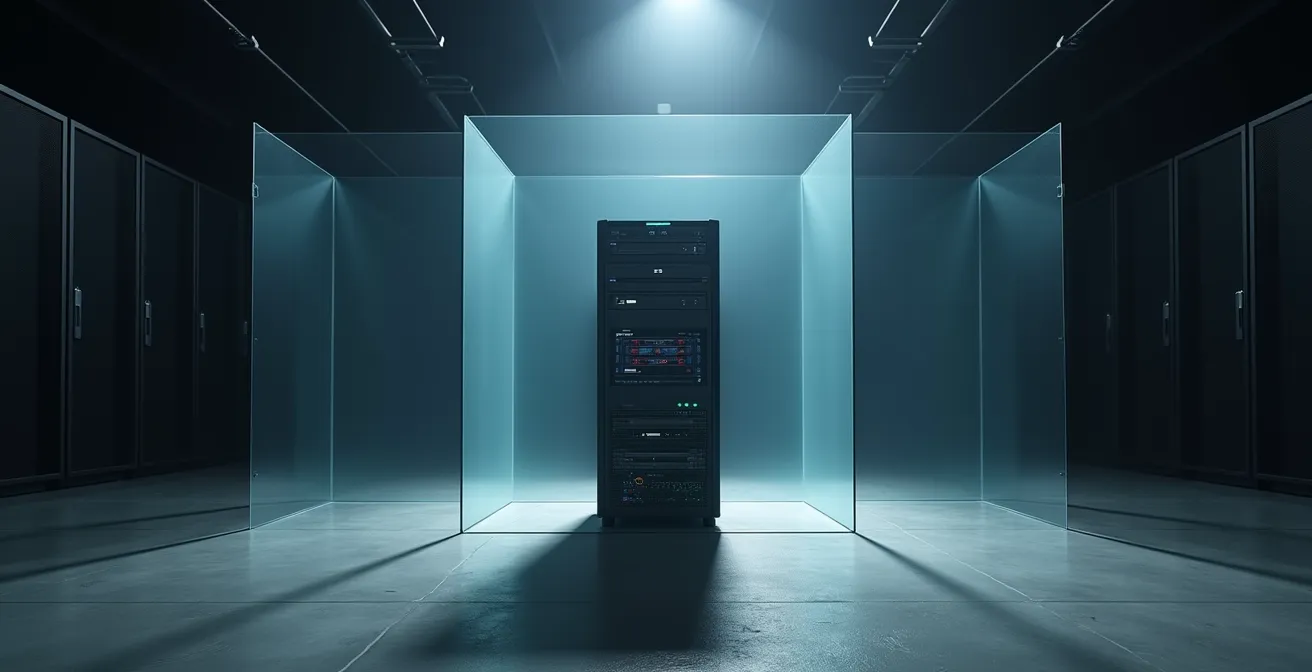
The concept of isolation, as visually represented here, is paramount. Your backup server should be a fortress. To achieve this, you must implement a strict set of controls to ensure its integrity, following guidelines like those from the Canadian Centre for Cyber Security (CCCS).
Checklist: Your Bunker Backup Architecture Implementation
- Isolate the Network: Place your primary backup server on a separate, isolated VLAN that is not joined to your production Active Directory domain. Communication should be highly restricted and initiated only from the production side.
- Use Unique Credentials: The backup server must have its own unique, local administrator credentials. These credentials should never be used anywhere else and must be stored securely offline. Do not use domain admin accounts for backup jobs.
- Enforce MFA: All access to the backup console, whether local or remote, must be protected with multi-factor authentication (MFA), preferably using a physical hardware token.
- Enable Immutability: Use a backup solution that supports immutable storage. Configure a retention policy that makes your backup data unchangeable and undeletable for a set period (e.g., 30 days), even by an administrator.
- Test Your Restore Process: Regularly test your ability to restore data from this isolated environment. Follow the CCCS ITSP.40.002 guidelines for media sanitization and restore procedures to ensure your plan works in practice, not just on paper.
How to Run a Ransomware Tabletop Exercise with Your Executive Team?
A technical response plan is useless if the leadership team doesn’t understand their role in a crisis. A tabletop exercise is a guided simulation where you walk your executive team and key department heads through a ransomware scenario. The goal isn’t to test technical skills, but to stress-test your communication, decision-making, and legal compliance processes under pressure. For a Montreal-based company, this exercise is not just good practice; it’s essential for navigating the complex requirements of Quebec’s Law 25.
The scenario should be realistic and tailored to your business. For example, consider this scenario for a Montreal professional services firm: “Your largest client, a major Quebec construction company, calls in a panic. Their systems are encrypted, and their forensic team found evidence the infection originated from a contract PDF your firm sent yesterday. The 60-minute response clock starts now. What are your first five moves?” This immediately puts legal liability, client communication, and regulatory reporting on the table.
The facilitator’s role is to introduce new injects every 10-15 minutes: “The media has called asking for comment,” “The attacker is demanding a ransom of 50 Bitcoin,” or “The Commission d’accès à l’information has opened an inquiry.” Each inject forces the team to make critical decisions. Who is authorized to speak to the media? Do we have a pre-vetted incident response firm and legal counsel specializing in Quebec privacy law? Who makes the final call on paying the ransom?
Crucially, for any organization in Quebec, the exercise must revolve around Law 25 compliance. The moment you suspect a breach involving personal information, a new set of legal clocks starts ticking. Your tabletop exercise must include these specific decision points.
- Minute 0-10: Incident Classification. Does this event qualify as a “confidentiality incident” under Law 25, requiring mandatory logging and potential notification?
- Minute 10-20: Engaging Experts. Who on our pre-vetted list of Montreal-based incident response (IR) firms and specialized Quebec privacy lawyers do we engage? The decision must be made instantly.
- Minute 20-30: Risk Assessment. Does the incident create a “risk of serious injury” to the affected individuals? This determination is the legal trigger for reporting to the Commission d’accès à l’information du Québec (CAI).
- Minute 30-45: Communication Strategy. How and when do we notify the affected individuals? Law 25 has specific requirements for what this notification must contain. Who drafts and approves this communication?
- Minute 45-60: Reporting Protocol. Who is responsible for formally reporting the incident to the CAI and any other relevant bodies, like law enforcement?
Why Encrypting Your Hard Drive Is Not Enough to Protect Email Data?
A common misconception is that full-disk encryption like BitLocker or FileVault protects your data from ransomware. While it’s an essential control for protecting data on a lost or stolen laptop (data-at-rest), it offers zero protection against a ransomware attack on a running system. When you are logged into your computer, the operating system transparently decrypts files as you access them. If malware is running on that active session, it has the same access to your decrypted data as you do. It can read your emails, copy your client lists, and exfiltrate your financial reports before it even begins to encrypt them.
This is the model for modern “double extortion” ransomware attacks. The attacker no longer just encrypts your files; they steal a copy of them first. They then threaten to publish this sensitive data publicly if the ransom is not paid. This tactic adds immense pressure, as it turns a business continuity problem into a massive data breach crisis with legal and reputational consequences. The statistics are stark: according to BlackFog’s latest ransomware report, 95% of ransomware attacks in early 2025 involved data exfiltration before encryption. This demonstrates that the primary threat has shifted from data availability to data confidentiality.
Disk encryption is defeated the moment you enter your password. The malware operates within your authenticated, decrypted session. It can scrape data directly from application memory, access your Outlook .PST files, or simply copy documents from your “My Documents” folder and upload them to a server controlled by the attacker. Once the data is exfiltrated, the attacker then proceeds with the encryption phase to disrupt your operations. The combination of infiltration and public leak scenarios creates devastating financial and reputational damage, often involving expensive forensics, system rebuilding, and class-action lawsuits that disk encryption alone cannot prevent.
The “Reused Password” Risk That Exposes Your Company via Third-Party Breaches
Often, the most sophisticated ransomware attack doesn’t begin with a brilliant zero-day exploit. It begins with a mundane, preventable mistake: password reuse. An employee uses their corporate email and a simple, memorable password to sign up for a third-party service—a shopping website, a marketing tool, or a food delivery app. When that third-party service is inevitably breached, that email and password combination is dumped onto the dark web. Automated credential stuffing bots then take that list and try it against major corporate login portals like Microsoft 365 and VPN gateways. When they get a match, the attacker is in the front door with valid credentials.
This is a huge blind spot for many organizations. You can have the most secure perimeter in the world, but it’s worthless if an employee has handed the keys to an attacker via a breach at a completely unrelated company. The context for Canadian businesses is clear: many high-profile breaches originate from compromised credentials on popular Canadian retail sites like Canadian Tire or Indigo being reused for corporate access. The attacker doesn’t need to hack you; they just need to wait for one of your suppliers or your employees’ favorite websites to get hacked.
The only defense is to assume your employees’ credentials are or will be exposed. Proactive monitoring of the dark web for your corporate email domain (@yourcompany.ca) is no longer a luxury; it’s a necessity. This gives you an early warning that a set of credentials has been compromised, allowing you to force a password reset before an attacker can use them. Implementing a robust dark web monitoring program is a critical layer of defense for any Montreal-based organization.
- Deploy a Monitoring Service: Use a service like Flare Systems (a Montreal-based company) or a similar tool to continuously scan dark web marketplaces and breach databases for your corporate email domains.
- Configure Real-Time Alerts: Set up automated alerts to notify your security team the moment an employee’s credentials appear in a new data dump.
- Establish a Reset Protocol: You must have a policy and a mechanism to enforce an immediate, mandatory password reset for any exposed account within 24 hours of detection.
- Monitor Your Supply Chain: Keep an eye on public breach notifications from your key local Montreal suppliers, as a breach on their end could expose shared credentials or provide intelligence to attackers.
- Report to Management: Generate quarterly reports on your organization’s dark web exposure to keep the executive team informed of the risk landscape.
Key Takeaways
- Proactive hunting of behavioral anomalies is more effective against modern ransomware than reactive, signature-based tools.
- An automated, scripted “kill switch” for network isolation is a non-negotiable component of a rapid response plan.
- In Quebec, your technical incident response must be tightly integrated with the legal reporting obligations of Law 25 from the very first minute.
Enhancing Staff Preparedness for Active Threat Scenarios in Montreal Offices
Your employees are your first line of defense, but also your largest attack surface. In the chaos of a ransomware attack, clear, simple instructions are paramount. Every employee, from the CEO to the receptionist, must know exactly what to do and who to call the moment they suspect something is wrong. Vague instructions to “contact IT” are not enough. They need a physical, tangible resource that cuts through the panic. A “Cyber Emergency Card” placed at every desk is an incredibly effective tool for this.
This card should contain the essential, non-email-based contact information needed in a crisis. When the network is compromised and email is down, having a direct phone number is critical. For a Montreal office, this card must be localized. It should include the 24/7 hotline for your internal IT emergency team, the direct number for the Canadian Centre for Cyber Security, the local SPVM (Service de police de la Ville de Montréal) Economic Crimes Unit, and the Commission d’accès à l’information du Québec. This empowers every employee to be a part of the solution.
Training must also be localized to be effective. Generic phishing simulations are easily ignored. However, simulations that use Quebec-specific lures are far more effective at building real-world resilience. For example, phishing tests referencing Hydro-Québec bills, BIXI membership renewals, or bilingual notices from Revenu Québec have proven to be highly effective in security awareness testing. When employees see how attackers weaponize familiar local brands, the threat becomes tangible and the training sticks. While the U.S. is the most targeted nation, Canada holds the second spot, making this localized vigilance essential.
Here is a template for a Montreal-specific emergency card. This should be printed and distributed to all staff.
- Internal IT Emergency Cell (Phone ONLY): 514-XXX-XXXX (24/7 Security Hotline)
- Canadian Centre for Cyber Security: 1-833-CYBER-88 (1-833-292-3788)
- Montreal Police (SPVM) – Economic Crimes: 514-280-2222
- Commission d’accès à l’information du Québec (Law 25 Reporting): 1-888-528-7741
- Pre-Approved IR Firm: [Contact Info for Forensik, In Fidem, or other Quebec-based firm]
The principles of proactive detection and rapid, scripted response are the pillars of a modern defense against ransomware. By shifting your focus from chasing signatures to hunting for behavior, you can turn your existing infrastructure into a powerful early warning system. Start today by implementing these technical controls and preparing your team for the fight.