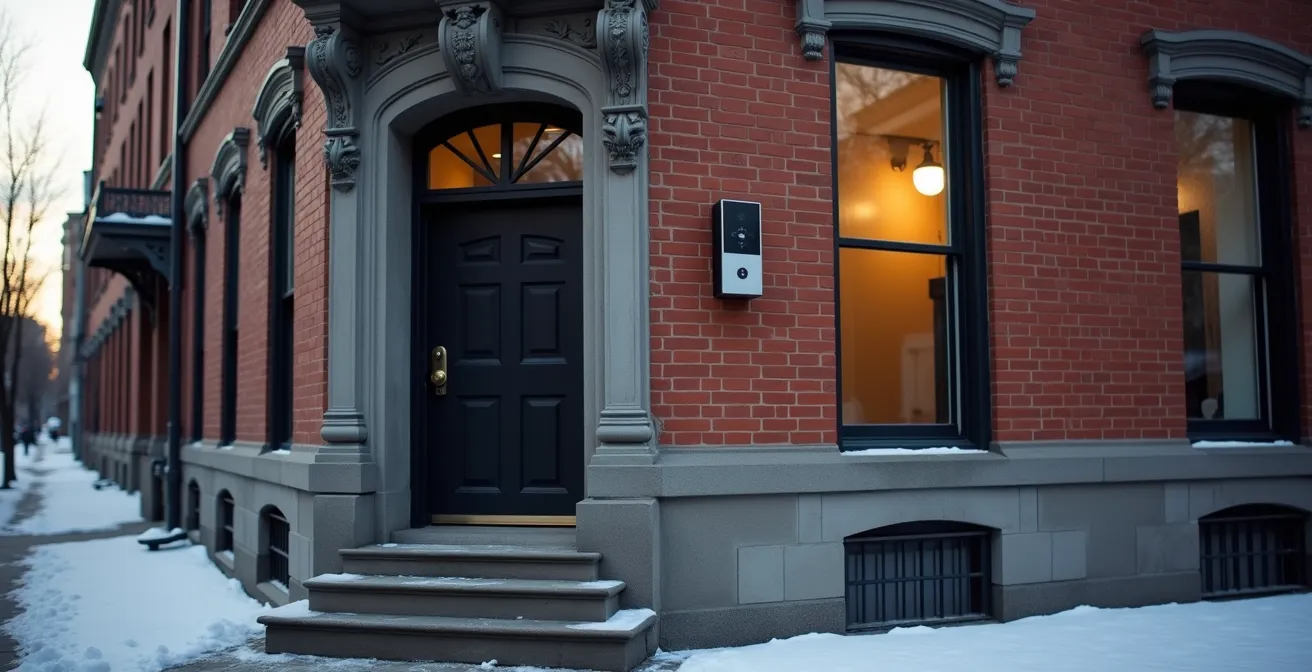
Modernizing access control in a Montreal heritage building is a strategic investment in operational efficiency, not an unavoidable expense.
- Wireless and cloud-based systems eliminate the need for costly, destructive rewiring while respecting architectural integrity.
- Automated processes enhance security, ensure compliance with Quebec laws like Law 25, and significantly lower long-term Total Cost of Ownership (TCO).
Recommendation: Focus on a phased implementation that prioritizes mobile credentials and cloud integration to solve immediate tenant and security challenges with a clear return on investment.
As the manager of a heritage property in Montreal, you are caught between two powerful forces: the timeless appeal of your building’s greystone facade and the modern demands of your commercial tenants. They want seamless, mobile-first access, but the thought of drilling into historic walls for extensive rewiring is a non-starter, both practically and financially. The default solution often seems to be sticking with cumbersome physical keys and outdated key card systems, a choice that quietly accrues hidden costs in management time and security vulnerabilities.
Many discussions around security upgrades focus narrowly on technology features. They talk about wireless readers or cloud platforms as simple product categories. However, this misses the fundamental point for a property manager in a high-turnover market like Montreal. The real challenge isn’t just about opening doors; it’s about managing access efficiently, ensuring compliance with evolving Quebec privacy laws, and protecting both your tenants and your asset without compromising its historic character.
What if the solution wasn’t a choice between preservation and modernization, but a strategy that achieves both? The key is to reframe the upgrade not as a wiring problem, but as an operational and financial optimization. By leveraging modern wireless and cloud-native solutions, you can solve your most pressing management headaches—from instant credential revocation for terminated employees to secure courier access—all while enhancing your building’s value and tenant satisfaction.
This guide provides a technical, solution-oriented framework for making that transition. We will dissect the most critical components of a modern access control system, from the credentials themselves to the infrastructure that supports them, all through the specific lens of a Montreal heritage building manager. We’ll explore how to deploy these systems in a way that is compliant, cost-effective, and respectful of your property’s unique identity.
Summary: Upgrading Access Control in Heritage Montreal Properties
- Why Mobile Credentials Are Safer Than Key Cards for High-Turnover Offices?
- How to Automate Access Revocation When an Employee Is Terminated?
- Cloud-Based Access Control vs Local Server: Which Is Best for Remote Management?
- The Courtesy Habit That Undermines Your Million-Dollar Access System
- What Happens to Your Electronic Locks During a Long-Term Power Outage?
- How to Configure One-Time Access Codes for Uber Eats and Couriers?
- How to Retrofit Historic Old Montreal Facades with Modern Security Frames?
- Designing Mantrap Vestibules for High-Security Zones in Montreal Offices
Why Mobile Credentials Are Safer Than Key Cards for High-Turnover Offices?
In a dynamic business environment like Montreal’s tech sector, employee turnover is a constant. The physical key card, once a staple of corporate security, has become a significant liability. The primary issue is their vulnerability to cloning. Unlike a password that can be changed, a lost or stolen card can be copied, and even cards still in circulation are not immune. In fact, recent security research reveals that a major backdoor in millions of common RFID cards allows for instant cloning with a device costing only a few hundred dollars. This poses an unacceptable risk for buildings housing tenants with valuable intellectual property.
Mobile credentials, which use an employee’s smartphone for access, fundamentally change this dynamic. By leveraging technologies like Bluetooth and NFC, these credentials are tied to a specific, highly-secured device. Authentication is often multi-factor, relying on the phone’s biometrics (fingerprint or face ID) in addition to the credential itself. This makes them exceptionally resistant to cloning. As seen in many Montreal tech industry implementations, information stored in cloud-based mobile wallets is cryptographically secured, providing a layer of protection that physical cards simply cannot match.
The transition to mobile credentials also streamlines operations. There are no physical cards to issue, track, or replace, eliminating a recurring material cost and administrative burden. When an employee leaves, their mobile credential can be revoked instantly and remotely, without needing to retrieve a physical item. For a property manager, this means a faster, more secure offboarding process and a significantly reduced risk of unauthorized access from former tenants or their employees. The system can be configured for a 100% hands-free experience using “Wave to Unlock” technology, improving tenant convenience and accessibility.
How to Automate Access Revocation When an Employee Is Terminated?
The period immediately following an employee’s termination is one of the most critical for building security. A manual revocation process—where HR informs building management, who then manually deactivates a key card—is fraught with delays and potential for human error. A disgruntled former employee can retain access for hours or even days, posing a significant risk. In Quebec, this process is further complicated by the need to adhere to strict CNESST (Commission des normes, de l’équité, de la santé et de la sécurité du travail) guidelines regarding termination procedures and documentation.
Automated access revocation, achieved by integrating your access control system with a tenant’s Human Resources (HR) platform, eliminates these risks. When an employee’s status is changed to “terminated” in the HR system, an API call is automatically triggered. This action instantly and globally revokes all associated credentials—mobile, physical card, or otherwise—from the access control database. There is no manual intervention, no delay, and no chance of oversight. This immediate action is a powerful deterrent against post-termination incidents.

From a compliance perspective, this automation is invaluable. A modern, cloud-based system automatically generates an immutable audit trail of the revocation event, timestamped to the second. This provides clear, digital evidence that access was terminated in accordance with company policy and legal requirements, which is crucial for CNESST documentation. Furthermore, the handling of employee data within these systems must comply with Quebec’s Law 25, requiring clear data retention policies and, ideally, the use of servers located within Canada. An automated system provides the technical framework to enforce these policies consistently.
Quebec-Compliant Offboarding Security Checklist
- Document termination in compliance with CNESST guidelines and retain records for a minimum of 2 years.
- Immediately revoke digital access through a cloud-based system that integrates with HR software.
- Disable all mobile credentials and remove the user from the access control database.
- Generate a comprehensive audit report of the employee’s final access activities for record-keeping.
- For unionized employees, ensure the technical revocation process is aligned with the steps outlined in the collective bargaining agreement.
- Archive all access control documentation according to Quebec Law 25 data retention and privacy requirements.
Cloud-Based Access Control vs Local Server: Which Is Best for Remote Management?
The traditional model for access control involves an on-premise server—a physical box in a closet somewhere in the building. This server runs the software, stores the data, and requires dedicated power, cooling, and IT maintenance. For a property manager, especially one managing multiple properties or who may not always be on-site (the “snowbird” scenario), this local server is a significant operational bottleneck. System updates, troubleshooting, or adding a new tenant requires physical presence or a costly technician call-out.
A cloud-based access control system fundamentally decouples management from physical location. All data and software are hosted on secure, professionally managed servers in the cloud. As a property manager, you can manage the entire system—adding or revoking users, changing schedules, and viewing activity logs—from any device with an internet connection, anywhere in the world. This is the most significant advantage for remote management. Furthermore, with data stored and backed up automatically on the cloud, you eliminate the risk of data loss from a local server failure or disaster. For compliance with Quebec Law 25, it’s critical to choose a provider that hosts data on Canadian servers.
Beyond convenience, the financial argument for the cloud is compelling, particularly in the Montreal context. The Total Cost of Ownership (TCO) extends far beyond the initial hardware price. A local server consumes significant electricity (a direct cost on your Hydro-Quebec bill), takes up valuable square footage in a high-rent downtown market, and requires ongoing IT maintenance contracts. A cloud system eliminates these operational expenses, replacing them with a predictable monthly subscription fee that includes maintenance, software updates, and support.
This table illustrates the 5-year TCO comparison for a typical small-to-medium-sized Montreal office building, showing a clear financial advantage for cloud-based solutions.
| Cost Factor | Cloud-Based System | Local Server |
|---|---|---|
| Initial Hardware | $5,000-$15,000 | $15,000-$30,000 |
| Monthly Subscription | $200-$500 | $0 |
| Hydro-Quebec Electricity | $0 | $150-$300/month |
| Downtown Real Estate Space | None required | $500-$1,000/month value |
| IT Maintenance | Included | $2,000-$5,000/year |
| 5-Year TCO | $17,000-$45,000 | $35,000-$85,000 |
The Courtesy Habit That Undermines Your Million-Dollar Access System
You can invest in the most advanced biometric readers and encrypted credentials, but the single greatest vulnerability in any access control system remains a simple, well-intentioned human habit: holding the door open for the person behind you. This practice, known as tailgating (or piggybacking), completely bypasses the security checkpoint. One authorized entry becomes two, and the second individual is unauthenticated and unrecorded. In a busy Montreal office building, especially during peak hours or festival season, this “courtesy” can inadvertently grant access to unauthorized individuals, from petty thieves to corporate spies.
Combating this requires a two-pronged approach: education and technology. The first step is to change the culture from one of politeness to one of security awareness. This involves clear, bilingual communication. Posters with the simple message “One Badge, One Person / Un badge, une personne” should be placed at all access points. Tenants should be provided with polite refusal scripts, such as “Sorry, our security policy requires everyone to badge in individually.” Regular, brief security awareness sessions can reinforce this message and explain the risks without creating a culture of paranoia.
Technology provides the enforcement layer. Modern systems can incorporate anti-passback rules, which prevent a single credential from being used to enter the same area twice in quick succession. More advanced solutions involve tailgate detection sensors installed at the doorway. These systems use infrared beams or video analytics to detect if more than one person passes through after a single authentication. If a tailgate event is detected, the system can trigger an alarm, notify security personnel, and log the event with video evidence for later review. For high-security areas, this technology is an essential supplement to the access control reader itself, closing the gap that human nature often leaves open.
What Happens to Your Electronic Locks During a Long-Term Power Outage?
For any Montrealer who remembers the 1998 Ice Storm, power grid resilience is not an abstract concept. A long-term power outage can cripple a building’s operations, and your access control system is no exception. Electronic locks and readers require continuous power to function. Without a robust backup strategy, a blackout could mean your building is either completely locked down or, worse, completely unsecured. It’s essential to understand how your locks will behave and to plan accordingly, in line with RBQ (Régie du bâtiment du Québec) safety codes.
Electronic locks come in two primary configurations: fail-safe and fail-secure. A fail-safe lock requires power to stay locked; when power is cut, it automatically unlocks. This is required for fire exits and main egress routes to ensure safe evacuation. A fail-secure lock requires power to unlock; when power is cut, it remains locked. This is suitable for securing high-value areas like server rooms or storage, but should never be used on a required path of exit. Your system must be configured with the correct type for each door’s function.
The first line of defense is an Uninterruptible Power Supply (UPS). This is a battery backup system designed to provide immediate, temporary power to critical systems. However, standard office UPS units are often insufficient. According to battery backup testing that shows a typical runtime of only 5-20 minutes, they are designed only to allow for a safe shutdown, not continued operation. For access control, a system with a minimum 1500VA capacity and a 20-minute minimum runtime is recommended to facilitate a safe and orderly building evacuation. It’s critical to test these batteries monthly, especially in winter, as extreme cold can degrade performance. Ultimately, no electronic system is infallible, which is why maintaining a physical key override for all critical doors is a mandatory, non-negotiable part of any resilience strategy.
How to Configure One-Time Access Codes for Uber Eats and Couriers?
The modern office building is a hub of activity that extends beyond its tenants. Daily deliveries from couriers, food services like Uber Eats, and other visitors are now standard operating procedure. Granting these individuals access without compromising security is a major challenge for property managers. Buzzing someone in remotely offers no audit trail, and giving out a permanent code is a severe security risk. The solution lies in leveraging your cloud-based access control system to generate temporary, single-use access credentials.
This process is managed through a “Visitor Management” module within the access control platform. When a delivery is expected, a tenant or front-desk administrator can access the portal from any device. They can then generate a unique access code (typically a 4-8 digit PIN or a QR code) that is valid only for a specific door and a limited time window, for example, the next 15 minutes. This code can be sent directly to the delivery driver’s phone via SMS.
The security benefits are manifold. The code is time-bound; it automatically expires after the set window. It is location-specific; it will only grant access to the designated entrance, not to other secure areas of the building. Most importantly, it is single-use and audited. Once the code is used, it is deactivated, and the system logs the exact time of entry, providing a clear audit trail. This solves the problem of package theft in Montreal condo and office buildings by ensuring that only authenticated individuals gain entry for a legitimate purpose, without requiring staff to be physically present to receive every delivery. It provides robust protection and enhances operational efficiency for the entire building.
How to Retrofit Historic Old Montreal Facades with Modern Security Frames?
The greatest challenge in upgrading a heritage building is the preservation of its architectural character. The stone facades, ornate doorways, and wrought-iron details of Old Montreal are protected, and any modification requires approval from bodies like the Conseil du patrimoine de Montréal and the Arrondissement de Ville-Marie. The idea of drilling through 19th-century stonework to run cables for an access reader is simply not an option. This is where modern wireless solutions become essential, not just convenient.
The key to a successful heritage retrofit is to minimize physical impact. As demonstrated in successful retrofits of historic properties, battery-powered wireless hardware provides equivalent security features without the need for destructive cabling. Wireless electronic cylinders can replace the core of an existing lock, preserving the original door hardware while adding electronic control. Sleek, surface-mount readers can be affixed to door frames or adjacent surfaces with minimal intervention and can be removed in the future without causing permanent damage. These devices communicate wirelessly with a central hub, which is the only component that requires a network connection.
The aesthetic integration is just as critical as the technical one. Installers must choose hardware finishes that match the building’s historical materials, such as aged brass or black iron, to ensure the new technology is as unobtrusive as possible. The process must be meticulous: document existing conditions with photographs before any work begins, engage only installers with proven experience in heritage properties, and obtain all necessary written approvals before a single tool is lifted. By prioritizing low-profile, wireless solutions, you can add robust, modern access control while honoring the building’s unique legacy and meeting all municipal heritage requirements.
Key Takeaways
- Modernization is a strategic ROI decision, not a destructive wiring project. Focus on the Total Cost of Ownership (TCO) over five years.
- Compliance with Quebec’s Law 25 and CNESST regulations is non-negotiable. An integrated, cloud-based system is your best tool for automated compliance.
- A multi-layered approach combining technology (mobile credentials, sensors) and education is the only effective way to mitigate human-factor risks like tailgating.
Designing Mantrap Vestibules for High-Security Zones in Montreal Offices
For tenants in sectors like aerospace, finance, or data management, a standard locked door is insufficient. To protect their most sensitive assets, they require a higher level of entry control. A mantrap vestibule, also known as an access control interlock, provides this elevated security. It consists of a small, enclosed space with two interlocking doors; the second door cannot be opened until the first door has closed and the occupant inside has been authenticated. This system ensures that only one authorized individual can pass through at a time, completely eliminating the risk of tailgating.
Designing a mantrap in a Montreal office building, especially a retrofit, requires balancing security needs with building codes. A basic system might use two interlocking doors with standard badge readers. However, advanced systems for high-security zones will add a second layer of authentication, such as a biometric reader (fingerprint or iris scan), and even a weight sensor in the floor to ensure only one person is present. All designs must comply with RBQ requirements for emergency egress and wheelchair accessibility, which dictates minimum space requirements and the use of fail-safe mechanisms that do not impede evacuation during an emergency.
The materials used are also critical. While a basic mantrap might use tempered safety glass, high-security applications will specify bullet-resistant or forced-entry-rated glazing. The choice of design depends entirely on the specific threat model of the tenant. A tech startup may only need a basic interlock to prevent casual tailgating, while a financial data center will require the full suite of biometric and sensor-based protections. The table below outlines the common design options and their compliance considerations within the Montreal context.
| Feature | Basic Mantrap | Advanced System | RBQ Compliance |
|---|---|---|---|
| Door Configuration | Single interlock | Double interlock with sensors | Emergency egress required |
| Detection Technology | Badge reader only | Badge + biometric + weight | Must not impede evacuation |
| Space Required | 6-8 sq meters | 10-15 sq meters | Wheelchair accessible minimum |
| Glass Type | Tempered safety glass | Bullet-resistant glazing | Must meet fire ratings |
| Typical Industries | Tech startups | Aerospace, data centers | All must meet code |
For property managers of Montreal’s heritage buildings, the path to modern access control is clear. By focusing on a strategic, phased implementation of wireless, cloud-based technologies, you can deliver the security and convenience your tenants demand, ensure full compliance with local regulations, and do so without compromising the architectural soul of your property. The question is no longer if you should upgrade, but how you will leverage these tools to enhance your operational efficiency and the value of your asset.